When an enterprise B2B website experiences a drop in organic traffic, the marketing team usually panics and starts rewriting blog posts.
They are treating a gunshot wound with a bandage.
Enterprise websites rarely fail because of a missing keyword or a poorly written meta description. They fail because their technical architecture collapses under its own weight. When a domain has tens of thousands of pages, faceted navigation filters, and complex JavaScript rendering, a single configuration error compounds instantly.
If your technical foundation is broken, Google will simply stop crawling your high-priority commercial pages.
To fix this, you have to look under the hood. Here is the technical SEO audit checklist for enterprise brands we use at Traficxo to diagnose massive B2B websites and engineer revenue growth.
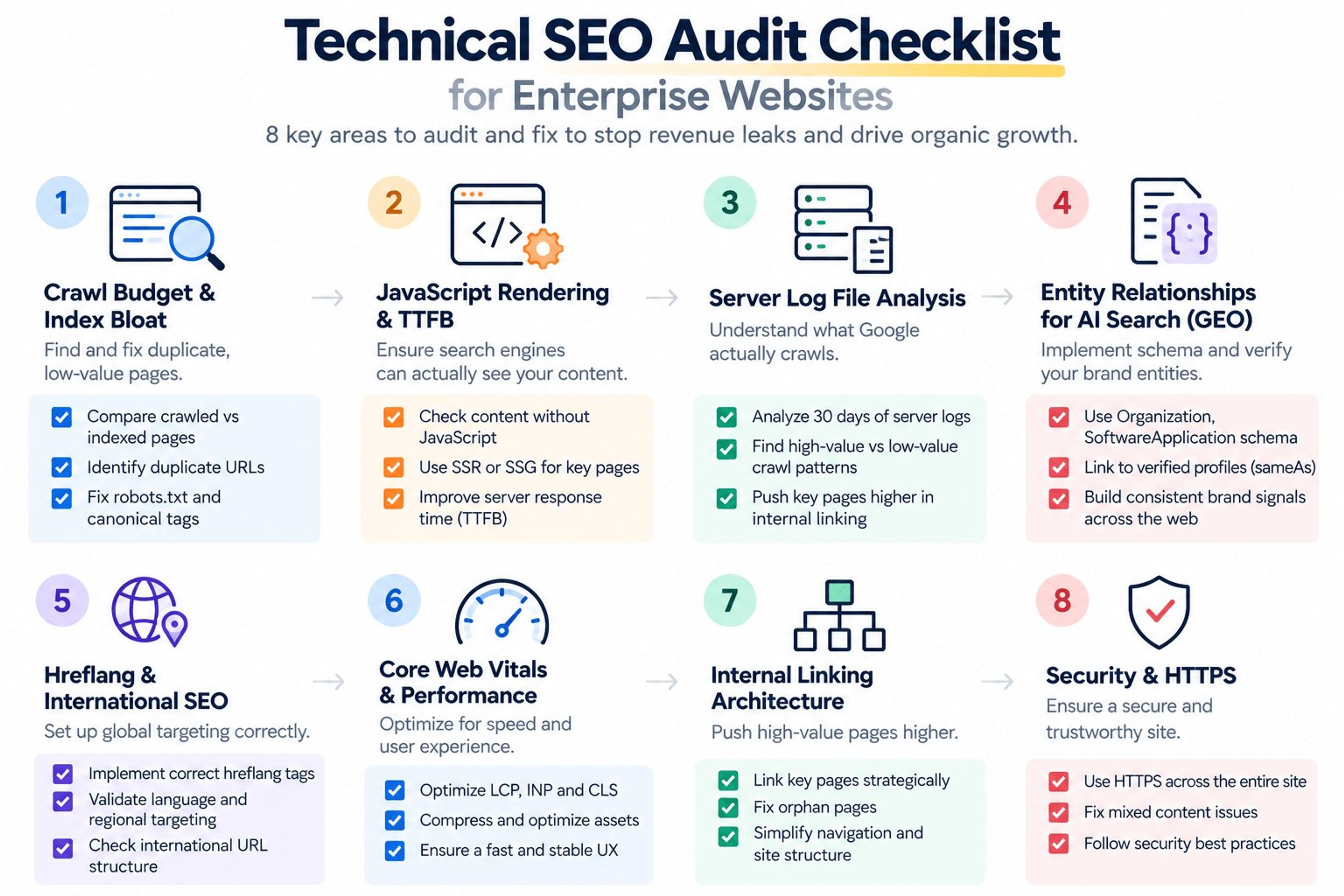
1. Interrogate Your Crawl Budget and Index Bloat
Google does not have infinite resources. They assign a specific "crawl budget" to your domain. If you waste that budget on garbage pages, your actual money pages will never get indexed.
Enterprise software and e-commerce sites are notorious for generating infinite duplicate URLs through sorting parameters, session IDs, and faceted search filters.
- Action: Run a crawl of your site and compare it against the total indexed pages in Google Search Console. If your crawler finds 50,000 pages but Google has only indexed 10,000, you have a massive crawlability issue.
- Fix: Audit your robots.txt file and aggressively block query parameters. Use strict canonical tags to point all variations of a page back to the single master version.
2. Audit JavaScript Rendering and TTFB
Modern enterprise sites are heavily reliant on JavaScript. If your site uses Client-Side Rendering (CSR), Googlebot receives a blank page and has to use massive computational power to render the text and links. Often, it just abandons the page.
Your Time to First Byte (TTFB) and overall rendering strategy dictate your organic visibility.
- Action: Disable JavaScript in your browser and reload your main service pages. If the core content and internal links disappear, search engines are likely struggling to read your site.
- Fix: You must transition to Server-Side Rendering (SSR) or Static Site Generation (SSG). This is precisely why we migrate our enterprise clients to modern frameworks.
Read why we build high-performance B2B sites using Next.js web development.
3. Conduct Server Log File Analysis
Third-party crawlers like Ahrefs and Screaming Frog only tell you what a crawler could see. They do not tell you what Google is actually doing on your site.
To find the real bottlenecks on an enterprise domain, you must analyze your server logs.
- Action: Export 30 days of server log data. Filter for requests made by the Googlebot user agent.
- Fix: Identify which directories Google crawls obsessively and which high-value directories it ignores. If Google is spending 80% of its time crawling your archived blog posts and ignoring your new product pages, you need to flatten your site architecture and push critical pages higher up the internal linking hierarchy.
Server log analysis requires specialized expertise. Review our Technical SEO consulting services for complex domains.
4. Verify Entity Relationships for AI Search (GEO)
Traditional enterprise SEO stops at fixing broken links. Modern enterprise SEO requires Generative Engine Optimization (GEO).
If you want your brand cited by Google AI Overviews and Perplexity, your technical architecture must feed these models structured data.
- Action: Audit your JSON-LD schema markup. Are you just using basic "WebPage" schema, or are you utilizing nested "Organization," "SoftwareApplication," and "AggregateRating" schemas?
- Fix: Map your brand's digital footprint. Use the sameAs property in your schema to link your website directly to your verified profiles on Crunchbase, G2, and Clutch. This trains AI models to view your enterprise as a verified entity, not just a website.
Discover how to secure your share of voice in AI search with our Generative Engine Optimization strategies.
5. Check Hreflang and International Architecture
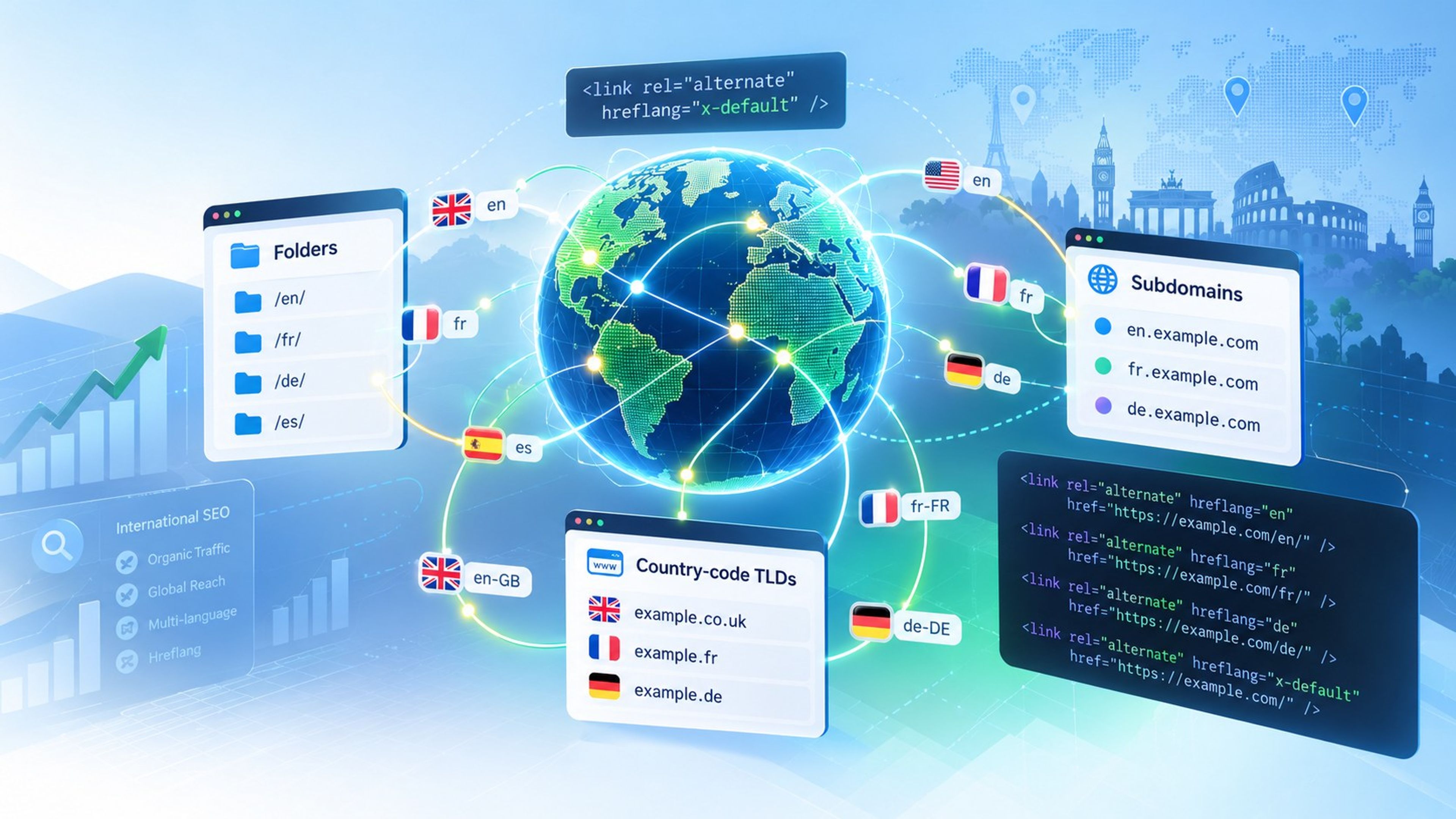
B2B enterprises operate globally. If you serve different pricing or language variations to clients in the US, UK, and India, your international SEO setup must be flawless.
Incorrect hreflang tags cause massive cannibalization. Your US site might start ranking in the UK, showing incorrect USD pricing to British buyers and tanking your conversion rate.
- Action: Audit the hreflang implementation across all regional subfolders or subdomains.
- Fix: Ensure every tag has a bidirectional return link. If the US page points to the UK page, the UK page must point back to the exact US page. Ensure you have a definitive "x-default" tag set for users outside your specified regions.
6. Measure Core Web Vitals at Template Level
On an enterprise site, performance problems are rarely isolated to one page. A single heavy script in a shared template can drag down thousands of URLs at once, which is why Core Web Vitals must be audited by page type rather than page by page.
- Action: Open the Core Web Vitals report in Google Search Console and group failing URLs by template: product pages, category pages, blog posts, and landing pages. Check real-user field data for Largest Contentful Paint (LCP), Interaction to Next Paint (INP), and Cumulative Layout Shift (CLS).
- Fix: Fix the shared template, not individual pages. Compress and properly size images, defer non-critical third-party scripts, and reserve space for dynamic elements. Our Next.js SEO best practices guide shows how modern frameworks handle much of this automatically.
7. Map Your Internal Linking Architecture
Internal links tell Google which pages matter most. On large domains, high-value commercial pages often end up buried five or six clicks deep, while outdated content soaks up link equity.
- Action: Use your crawler to measure click depth and find orphan pages that have no internal links pointing to them. Compare the pages receiving the most internal links against the pages that actually generate revenue.
- Fix: Keep priority pages within three clicks of the homepage. Link to them from high-authority pages, navigation, and related content, and either link to or retire every orphan page.
8. Confirm Security and HTTPS Integrity
Security is a baseline trust signal. A single insecure resource or broken redirect chain can trigger browser warnings that destroy buyer confidence on your most important pages.
- Action: Crawl the site for HTTP URLs, mixed content warnings, redirect chains, and expiring SSL certificates across every subdomain.
- Fix: Force HTTPS sitewide with single-hop 301 redirects, update internal links to point directly to HTTPS URLs, and enable HSTS once everything is clean.
Do Not Guess With Enterprise Revenue
A technical SEO audit on a massive website is not a job for a junior marketer using an automated plugin. It requires an engineer's mindset.
When you fix rendering issues, eliminate index bloat, and structure your data for AI engines, you do not just get a temporary spike in traffic. You permanently raise the floor of your organic pipeline.
Stop guessing where your site is leaking revenue.
Let our senior technical team map your architecture. Request a Free Technical Video Audit today, and I will personally record a teardown of your domain's biggest technical bottlenecks.
Explore Services & Solutions
SEO Services Hub
Access our comprehensive vertical strategies, core processes, and expert resources.
View service hub Specialized SolutionEnterprise Technical SEO
Drive high-intent organic traffic with our advanced technical auditing and optimization frameworks.
Learn moreReady to grow your digital presence?
Connect with our execution specialists for a customized roadmap.