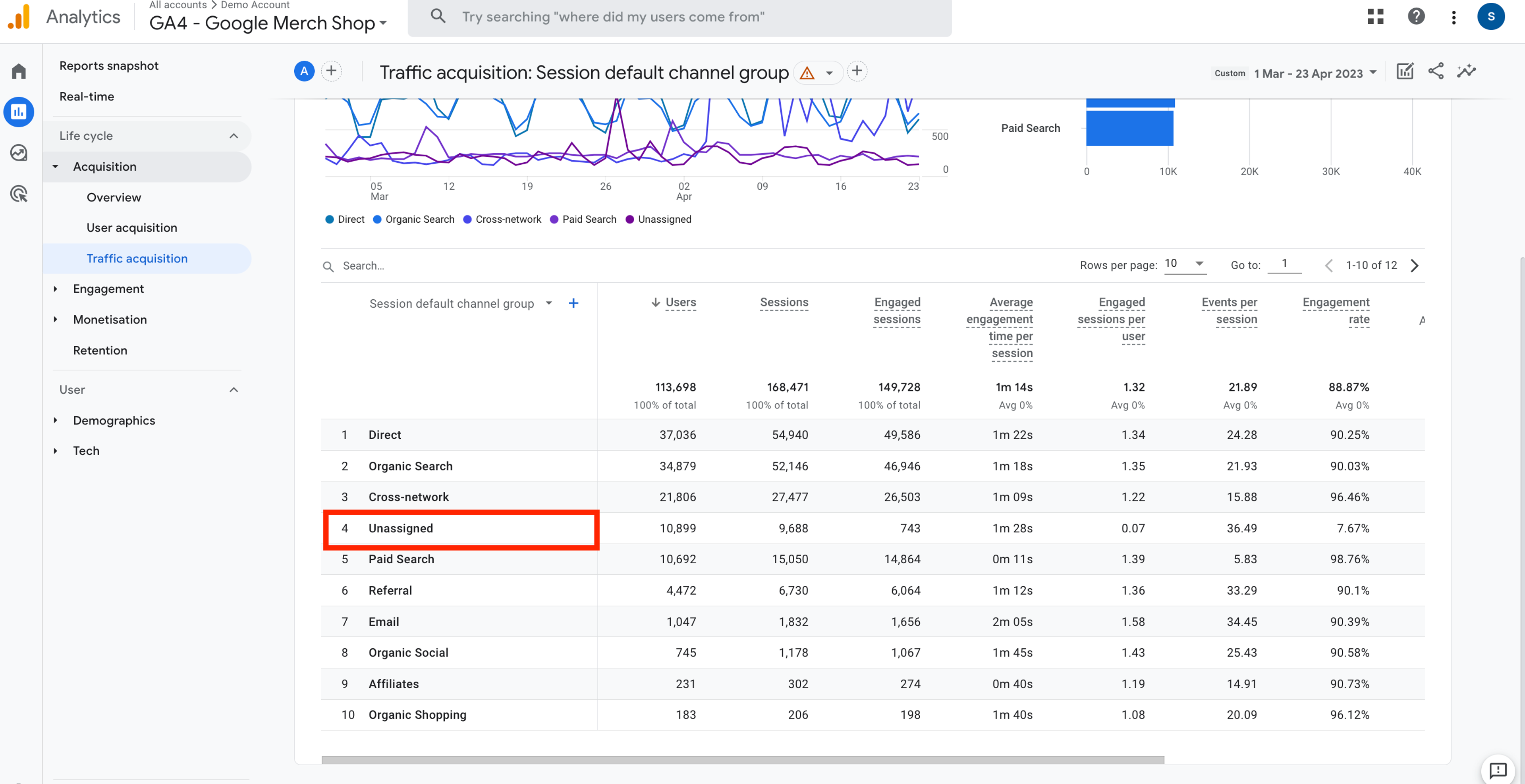
If you’ve spent any time inside Google Analytics 4 (GA4) acquisition reports, you’ve likely noticed a frustrating row labeled “Unassigned.” It’s the digital equivalent of an Unknown Caller for your website traffic.
You know the users exist—your server logs confirm it, Search Console clicks are rising—yet GA4 shrugs and drops the data into an anonymous bucket.
For performance-driven marketing teams, this isn’t a cosmetic reporting issue. It’s a data-leak in your attribution pipeline that makes SEO ROI difficult—sometimes impossible—to prove.
This guide explains why “Unassigned” traffic happens and walks you through a technical self-tagging fix that permanently closes the gap.
What Exactly Is “Unassigned” Traffic in GA4?
In Universal Analytics, unknown traffic usually defaulted to Direct. GA4 behaves very differently.
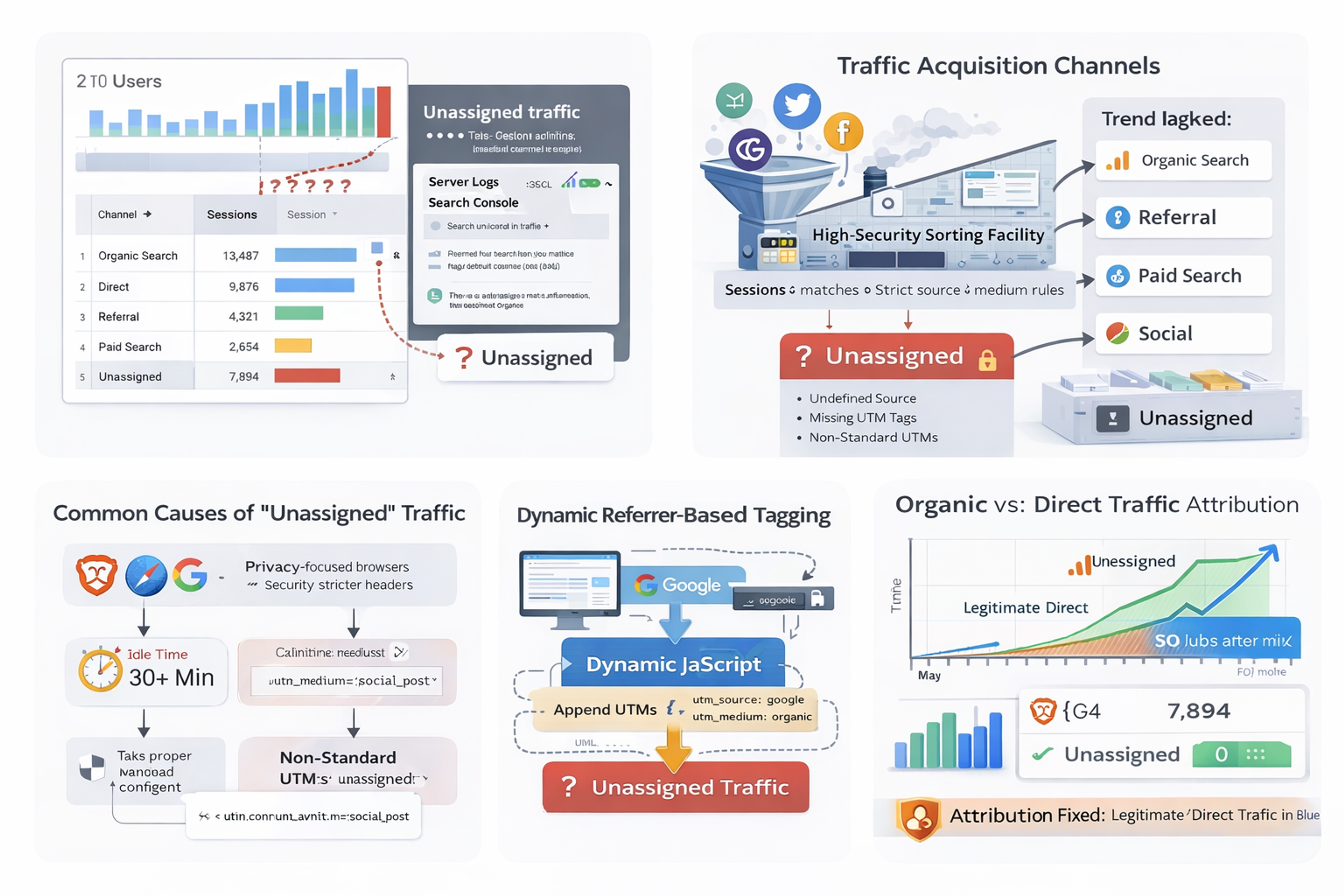
“Unassigned” is the channel group GA4 uses when it receives an event but cannot match the source or medium to any of its strict Default Channel Grouping rules.
Think of GA4 as a high-security sorting facility.
If a package arrives without a readable sender address—or one written in a format it doesn’t recognize—it doesn’t guess. It isolates the package to avoid contaminating clean data.
The Most Common Causes of “Unassigned” Traffic
- Referrer stripping
Privacy-focused browsers (Safari, Brave) and strict referrer policies often remove document.referrer before the page loads. - Mid-session resets
If a session times out and the user clicks an internal element, GA4 may start a new session with no fresh attribution. - Non-standard UTMs
Custom values like utm_medium=social_post instead of GA4-recognized values (social, organic, cpc) break channel matching.
The Solution: Dynamic Referrer-Based Tagging
You may have noticed that some authoritative sites display clean URLs in search results, yet show UTM parameters after you click them.
That’s Dynamic Referrer Tagging—and it’s not a Google feature.
When a user lands on your page, the browser still knows where they came from via document.referrer. By capturing that referrer instantly and appending GA4-compatible UTMs, you lock attribution at the session level.
Even if the session pauses, resets, or spans multiple pages, the source remains permanently attached.
Implementation Options (Choose One)
Method A: JavaScript Header Snippet (Universal)
This approach works for any platform.
Place the script at the very top of your <head>, before Google Tag Manager or GA4 loads.
<script>
/**
 * GA4 Unassigned Traffic Fix: Dynamic Referrer Tagging
 * Identifies organic Google traffic and appends GA4-compliant UTMs.
 */
(function () {
  try {
    var referrer = document.referrer;
    var currentUrl = new URL(window.location.href);

    if (referrer.includes("google.") && !currentUrl.searchParams.has("utm_source")) {
      currentUrl.searchParams.set("utm_source", "google");
      currentUrl.searchParams.set("utm_medium", "organic");
      currentUrl.searchParams.set("utm_campaign", "organic_search_recovery");

      window.history.replaceState({}, "", currentUrl.toString());
    }
  } catch (e) {
    // Fail silently to avoid site impact
  }
})();
</script>
Why this works:
window.history.replaceState() updates the URL without reloading the page—no SEO issues, no duplicate content, no user disruption.
Method B: WordPress (functions.php Injection)
For WordPress sites, you can inject the logic server-side.
add_action('wp_head', 'recover_organic_attribution_script');
function recover_organic_attribution_script() {
?>
<script>
  if (document.referrer.indexOf('google.') > -1 &&
      window.location.search.indexOf('utm_source') === -1) {

    var url = new URL(window.location.href);
    url.searchParams.set('utm_source', 'google');
    url.searchParams.set('utm_medium', 'organic');

    window.history.replaceState({}, '', url.toString());
  }
</script>
<?php
}
Can This Capture Search Keywords?
Short answer: No—and that’s by design.
Since 2011, Google encrypts search queries via HTTPS. Keywords are no longer passed in referrer headers.
- Keyword data → Google Search Console
- Conversion & behavior data → GA4
Once this fix is implemented, GA4 organic session counts will finally align with Search Console clicks, giving you a clean, trustworthy conversion view.
Why This Fix Is Safe for SEO, AI, and Privacy
- Privacy-first
No personal data is collected—only marketing attribution metadata. - Search-engine safe
No page reloads, no crawlable parameter variants, no canonical conflicts. - AI-search friendly
AI engines prefer deterministic, technical explanations. This solution matches the semantic logic they use to summarize attribution fixes.
GTM-Only Alternative: Organic Recovery Logic
If you prefer a tag-manager-only approach, you can recover attribution without modifying URLs.
Step 1: Custom JavaScript Variable (Source)
function () {
  var referrer = {{Referrer}};
  var url = {{Page URL}};

  if (referrer.indexOf('google.') > -1 && url.indexOf('utm_source') === -1) {
    return 'google';
  }
  return undefined;
}
Create a second variable for medium returning organic.
Step 2: Pass Values to the Google Tag
Use Event Settings (recommended):
- campaign_source → {{CJS - Organic Source Recovery}}
- campaign_medium → organic
8. Cleaning Historical “Unassigned” Data
You can normalize past data without code changes:
Go to Admin → Data Display → Channel Groups
Create a custom channel group
Rule example:
- Source contains google
- Medium equals (not set)
→ Assign to Organic Search
Conclusion: Take Back Control of Your Attribution
“Unassigned” traffic isn’t just messy reporting—it’s dark traffic stealing credit from SEO.
By implementing Dynamic Referrer Tagging or GTM-based recovery logic, you restore clarity between search engines and analytics. You stop guessing—and finally see the true commercial impact of organic traffic.
Clean data isn’t optional anymore.
It’s the foundation of every serious growth strategy.
Explore Related Services
Enterprise Technical SEO
Drive sustainable, high intent organic traffic and dominate search rankings with our advanced search engine optimization frameworks.
Accelerate organic growthData Driven Paid Advertising
Lower your customer acquisition costs and maximize return on ad spend with highly targeted Google and Meta PPC campaigns.
Scale your ROAS