Most software recommendation lists are written by affiliates trying to sell you a monthly subscription you do not need. If you are a B2B SaaS founder, a marketing director, or a creator looking to scale, you do not want your media files locked behind an expensive paywall.
At Traficxo, we engineer digital growth for our clients. That means our internal media production workflows must be fast, scalable, and cost-effective. We test every major platform on the market so our team and our clients can stop guessing and start creating pipeline-driving content.
If you are trying to figure out the best software to edit videos for your specific use case in 2026, here is our unvarnished breakdown of what actually works.
What is the best video editor for free?
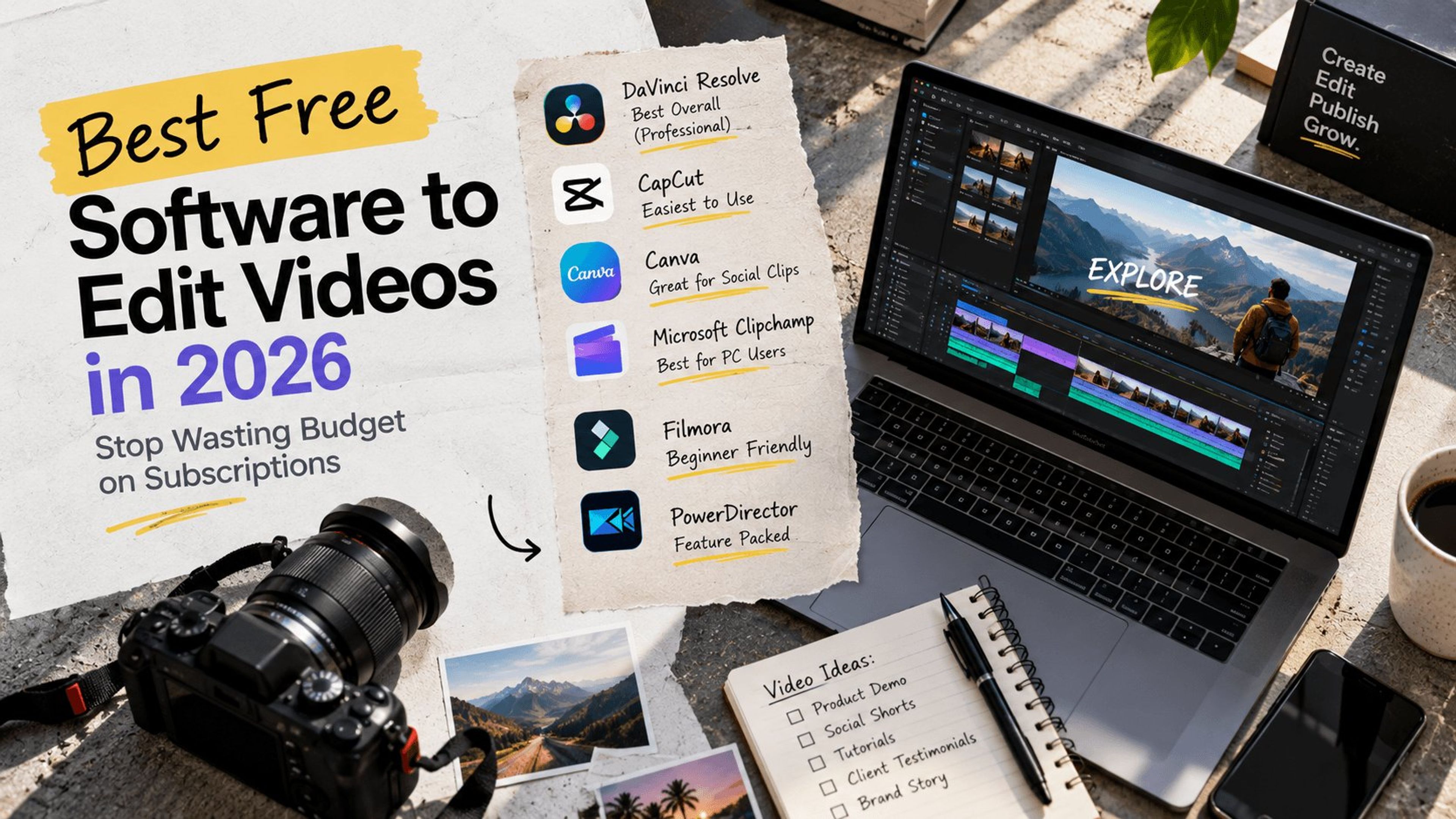
If you are asking what is the best video editor for free, the definitive answer in 2026 is DaVinci Resolve. Blackmagic Design is currently on version 20 of the software, and it remains the undisputed heavyweight champion of the free market.
This is not a watered-down freemium application. The free version of DaVinci Resolve gives you a fully professional toolkit with only minor restrictions, such as a maximum export resolution of 4K UHD and a 60p frame rate limit. It handles cutting, industry-standard color grading, audio post-production, and visual effects all within a single interface.
The learning curve is undeniably steep. DaVinci Resolve is professional software used heavily in the film industry. However, if you are serious about building a high-end YouTube channel or managing long-form content for your brand, it is the only free desktop tool you should install.
Want us to handle the heavy lifting? Explore our Video Production Services for B2B tech brands.
Best easy to use video editing software
Not everyone has the time to learn complex node-based color grading. If you are a social media manager or a founder who just needs to cut a quick promotional clip, you need absolute speed.
The best easy to use video editing software right now is CapCut Desktop. Built by the parent company of TikTok, CapCut has evolved from a mobile app into a powerful desktop platform. It features a highly intuitive timeline, one-click auto-captions, background removal, and an enormous library of trending effects. You can realistically edit and export a short-form video in under ten minutes.
For browser-based workflows, Canva remains an excellent alternative. If your marketing team is already paying for Canva Pro to manage your graphic design, their integrated video timeline is perfect for assembling quick social clips without ever leaving your browser.
Best video editor for PC
Windows users often feel left out because they lack a built-in equivalent to Apple iMovie. Fortunately, the landscape for PC users has improved drastically.
If you are looking for the best video editor for PC that requires zero complex installation, Microsoft Clipchamp is a highly capable choice. It is built directly into Windows and offers a clean interface perfect for quick marketing jobs or simple social videos. Just be aware that you will need to pay for a premium tier to unlock its full feature set and stock content.
If you want a native Windows powerhouse that blends professional speed with artificial intelligence tools, CyberLink PowerDirector 365 is our top premium recommendation. It offers fast rendering speeds, unlimited multicam angles, and a massive suite of features without the intimidating learning curve of Adobe Premiere Pro.
Site speed matters just as much as video quality. See how we optimize heavy media assets with our Next.js Web Development solutions.
Moving beyond good video editing software
When choosing the right tool, you need to match the software directly to the operator. If you install complex software for a beginner, your content pipeline will freeze.
If you have absolute beginners on your team who need automated guidance, Adobe Premiere Elements offers unique guided edits that act like step-by-step tutorials right inside the timeline. It is also a one-time purchase rather than a subscription, making it a highly cost-effective choice for smaller teams looking to avoid recurring software fees.
Another excellent beginner option is Wondershare Filmora. It strikes a balance between powerful features and ease of use, giving you a massive library of templates and drag-and-drop effects that can make a novice editor look incredibly polished. It is the definition of good video editing software for modern marketing teams looking for speed over cinematic perfection.
Creating thumbnails, social graphics, and ad creatives to go with your videos? See our guide to the best free graphic design software for Mac to complete your content stack without subscriptions.
At Traficxo, we do not just rely on software to drive views. We focus on how those videos integrate into a broader technical SEO and pipeline strategy. A beautifully edited video will not drive revenue if it sits on a slow, unoptimized landing page.
Stop letting software complexity delay your content output. Pick a tool that matches your team's technical skill level and start publishing. If you need an agency that can execute everything from script to final render and technical deployment, book a Digital Strategy Consultation with us today. Let us build a pipeline that converts traffic into closed deals.
Explore Services & Solutions
Video Production Hub
Access our comprehensive vertical strategies, core processes, and expert resources.
View service hub Specialized SolutionProfessional Video Editing
Scale your brand narrative with explainer videos, social media reels, and motion graphics.
Learn moreReady to grow your digital presence?
Connect with our execution specialists for a customized roadmap.