Ranking #1 on Google used to be the whole job. Now half the traffic conversation is about something else entirely. whether ChatGPT, Gemini, Perplexity, and Google’s AI Overviews are willing to cite you when someone asks a question you have answered on your site.
That shift has a name, actually two of them. AEO (Answer Engine Optimization) is about structuring your content so AI answer engines can lift a clean, correct answer from it. GEO (Generative Engine Optimization) is the broader cousin — making your whole site legible, trustworthy, and quotable to large language models. If you are still fuzzy on the distinction, we broke it down in our guide on AEO vs GEO vs SEO.
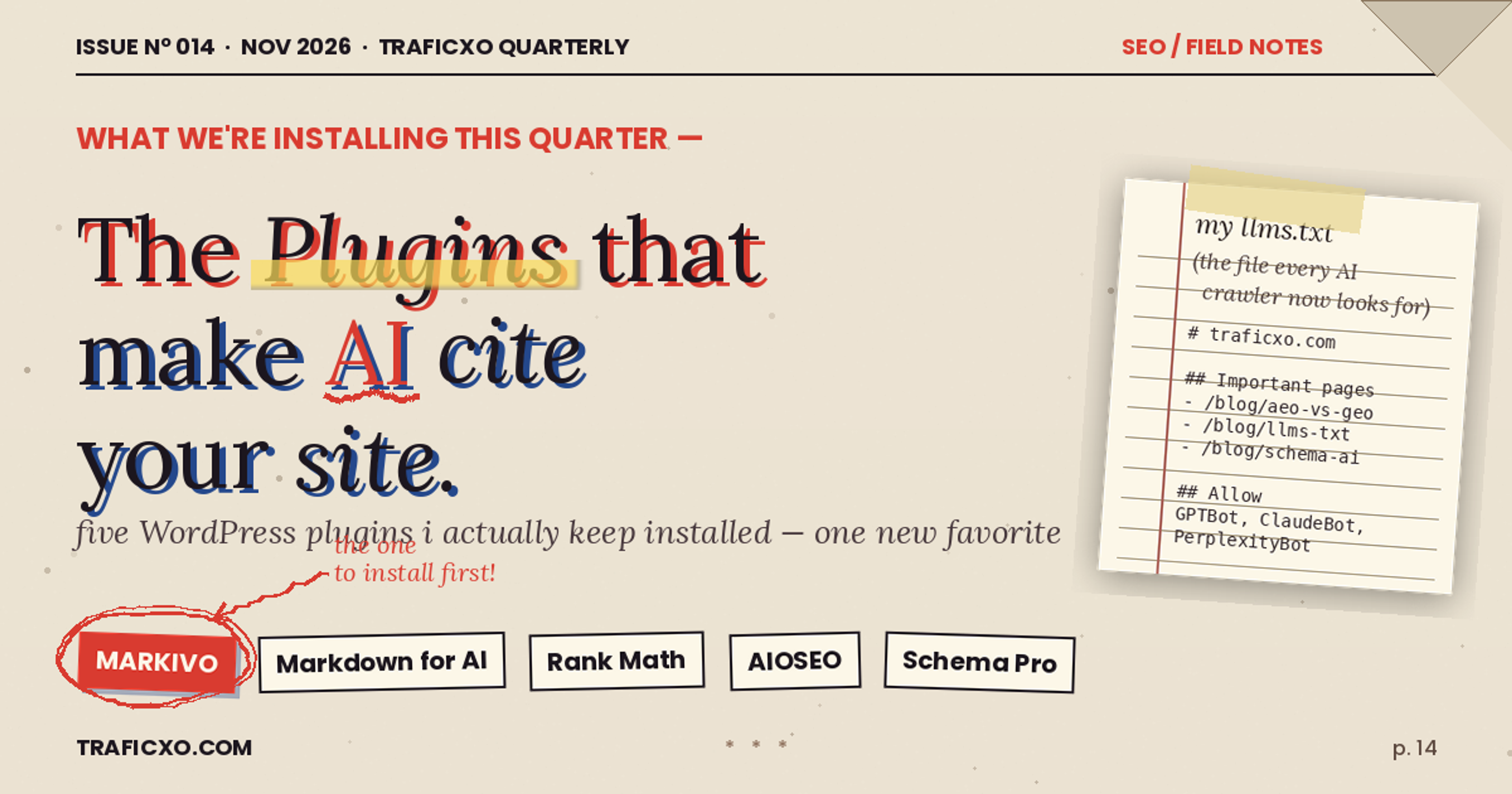
The good news for WordPress users: you do not need to hand-roll JSON-LD or build a llms.txt file from scratch anymore. A small crop of plugins now does the heavy lifting. I have tested the main ones over the last few months, and these are the five I would keep installed.
1. Markivo — GEO & AEO Toolkit (My Current Pick)
Plugin page: wordpress.org/plugins/markivo-geo-aeo-toolkit
Markivo is the one I keep coming back to, and not because it is flashy. It is the opposite — it quietly handles the boring, specific things that actually make a site AI-readable, without trying to also be your SEO plugin, your cache plugin, and your coffee machine.
Here is what it actually does once you activate it:
llms.txt generation, done properly. This is the file AI crawlers are starting to look for a plain-text map of your most important content and how you would like it treated. Markivo builds one automatically from your published posts and pages, lets you choose what gets included or excluded, and keeps it updated as you publish. If you have been meaning to set this up manually (we wrote a walkthrough on how llms.txt actually works), the plugin just does it.
Markdown endpoints for every post: Append .md to any URL and the plugin serves a clean Markdown version — no sidebars, no popups, no cookie banner, no theme HTML. This is the format LLMs prefer to ingest, and it is a surprisingly big deal for citation rates.
Structured data for answer engine: FAQ, HowTo, Article, Author, and Organization schema, output correctly and without the duplicate-schema warnings you get when you stack it on top of Yoast or Rank Math. It is smart enough to detect and defer when another plugin is already emitting the same type.
AI crawler controls: You can allow or block GPTBot, ClaudeBot, PerplexityBot, Google-Extended, and the rest from a single screen, with a readable summary of what each bot is actually used for. No digging through robots.txt.
Author and entity signals: Markivo lets you connect posts to author entities with sameAs links out to LinkedIn, X, Wikipedia, ORCID — the signals LLMs use to decide whether a byline is a real human with a track record.
Content audit for AI readability: The dashboard flags posts that lack a clear question-answer structure, missing summaries, buried definitions — the stuff that stops an AI from extracting a clean answer.
Flexibility
This is the part I appreciate most. You can turn individual modules off. Do not want the .md endpoints? Toggle. Do not want it touching schema because you already use Schema Pro? Toggle. Want llms.txt but nothing else? Fine. Most plugins in this space are all-or-nothing; Markivo is modular, which makes it a lot easier to bring into an existing stack without stepping on toes.
Where it is weak
it is not an SEO plugin. It will not write meta descriptions, it will not do redirects, it will not give you a sitemap of the traditional kind. It assumes you have that covered — which, fair enough.
2. Markdown for AI Agent
Plugin page: wordpress.org/plugins/markdown-for-ai-agent
If Markivo feels like more than you need, Markdown for AI Agent is the stripped-down version of the single most valuable thing Markivo does: serving Markdown versions of your pages to AI crawlers.
It adds .md endpoints to every post and page, lets you control which post types are exposed, and strips out shortcodes, embeds, and layout cruft so the output is pure content. That is it. No schema, no llms.txt, no crawler controls.
For a lot of small sites, that is actually plenty. And you can run it alongside Rank Math or Yoast with zero conflict, because it does not touch anything they care about. We covered the Markdown-for-AI approach in more depth in this piece on making WordPress content AI-friendly.
Best for: people who already have an SEO plugin they are happy with, and just want the Markdown-endpoint benefit without adopting a whole new toolkit.
3. Rank Math SEO (With the AEO Module)
Plugin page: wordpress.org/plugins/seo-by-rank-math/
Rank Math is still my default general-purpose SEO plugin, and over the last year they have been quietly bolting on AEO features. The free version now includes FAQ and HowTo schema, decent breadcrumb markup, and a content analysis panel. The Pro tier adds a dedicated AI SEO module that will suggest question-shaped headings and generate schema for recipes, courses, jobs, and events.
What it does not do: no llms.txt, no Markdown endpoints, no fine-grained AI crawler controls. It is an SEO plugin with AEO features welded on, rather than an AEO plugin.
Use it if: you want one plugin to handle traditional SEO and basic answer-engine schema, and you are okay layering something like Markivo or Markdown for AI Agent on top for the AI-native pieces.
4. All in One SEO (AIOSEO)
Plugin page: wordpress.org/plugins/all-in-one-seo-pack
AIOSEO took a similar path to Rank Math — long-established SEO plugin, now with a growing AEO story. Their "Next-Gen Schema Generator" is genuinely good, and their Author SEO module (Pro) does a nice job building out author entity profiles with the sameAs properties that help with E-E-A-T.
They also shipped a llms.txt feature in a recent release. It works, though it is less configurable than Markivo's — you get less say over what is included, and the file structure is closer to a dump than a curated map.
Use it if: you are already invested in the AIOSEO ecosystem or you want a more hand-holdy UI than Rank Math offers.
5. Schema & Structured Data for WP & AMP
Plugin page: wordpress.org/plugins/schema-and-structured-data-for-wp
If your AEO strategy is really "I just need my schema to be correct and comprehensive," this is the specialist tool. It supports more schema types than any other plugin I have seen — 35+ last time I counted — and the conditional display rules (for example, apply Recipe schema only to posts in the Food category) are a cut above.
It will not help with llms.txt, Markdown endpoints, or crawler controls. But for schema, nothing matches the depth. We go deeper into schema strategy in this guide to structured data for AI search.
Use it if: schema is where you want to spend your optimization energy, and you are happy to handle the rest of the AEO stack with other tools.
Quick comparison
| Plugin | llms.txt | .md endpoints | Schema | AI crawler controls | Full SEO |
|---|---|---|---|---|---|
| Markivo | Yes | Yes | Yes | Yes | No |
| Markdown for AI | No | Yes | No | No | No |
| Rank Math | No | No | Yes | Partial | Yes |
| AIOSEO | Basic | No | Yes | Partial | Yes |
| Schema & Structured Data | No | No | Deep | No | No |
So what should you actually install?
Depends on where you are starting from.
If you are building a site from scratch and want to be AI-ready out of the gate, I would install Markivo for the AEO/GEO layer and Rank Math for traditional SEO. The two do not fight, and between them you have every base covered.
If you have an existing site running on Yoast or AIOSEO and you do not want to switch, add Markivo on top — turn off its schema module if your current plugin is already handling schema, and let it do the llms.txt and Markdown-endpoint work your current plugin does not.
If you really just want the one quick win, install Markdown for AI Agent this afternoon. The .md endpoints alone have measurably improved citation rates on every site I have put them on.
Whatever you pick, remember that AEO and GEO are not a one-time setup. AI crawlers evolve fast, citation patterns shift, and new signals (like llms.txt) appear roughly every quarter. The plugins above are the ones keeping up — but you will still want to audit your most important pages every few months and make sure they are structured to answer real questions, not just rank for keywords.
If you want help thinking through an AEO strategy for a specific site, that is what we do at Traficxo — drop us a note.
Explore Services & Solutions
Web Development Hub
Access our comprehensive vertical strategies, core processes, and expert resources.
View service hub Specialized SolutionWordPress Development Services
Build blazing-fast, high-converting custom WordPress and Next.js digital platforms.
Learn moreReady to grow your digital presence?
Connect with our execution specialists for a customized roadmap.